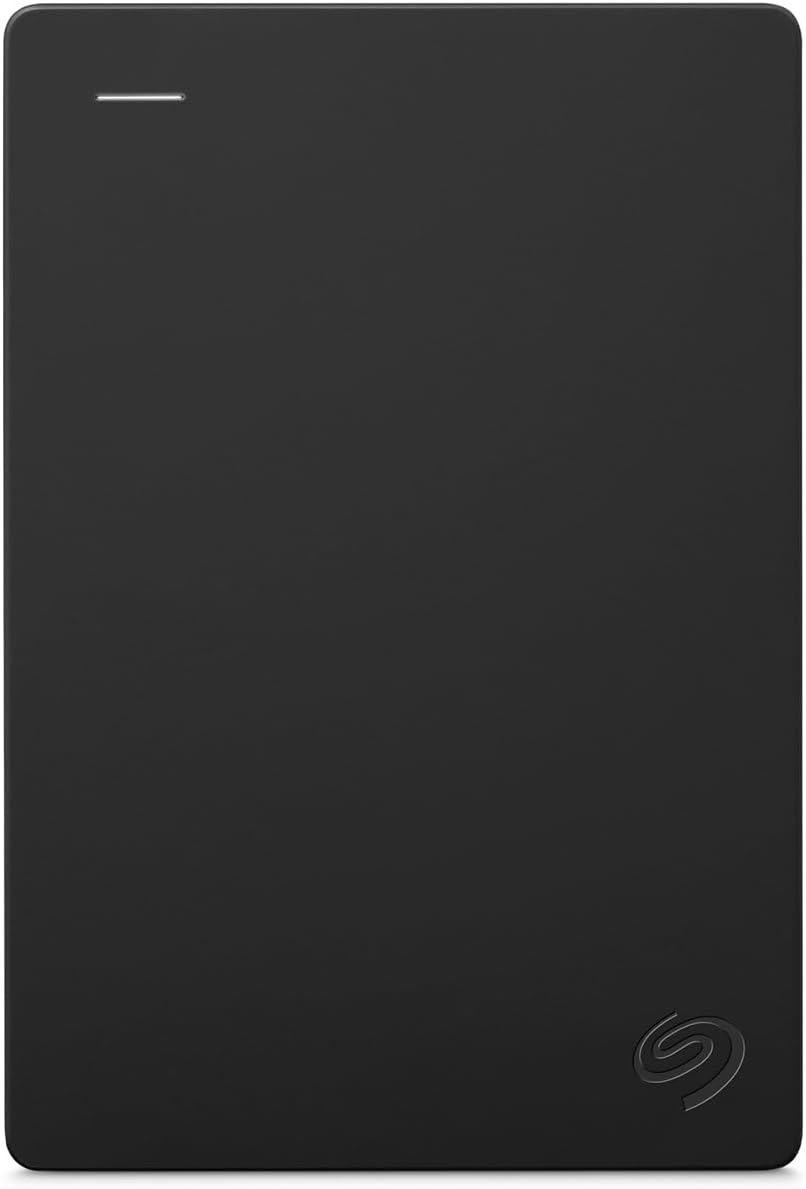
When you buy a Seagate external hard drive — a Seagate Expansion, a One Touch, or a Backup Plus — you’ll often notice it’s sold with something called Rescue Data Recovery Service included for the first year. Data recovery, in plain terms, means a professional attempt to extract your files from a drive that has physically failed — the kind of catastrophic event where the drive won’t show up on your computer at all, makes grinding or clicking noises, or simply refuses to read. Normally, sending a failed drive to a professional recovery lab costs anywhere from $300 to $1,500 out of pocket, depending on how badly the drive is damaged. Seagate bundles a version of this coverage into certain drive purchases and also sells it as a standalone add-on plan. The pitch is straightforward: pay a modest premium now, and if your drive fails, Seagate’s recovery partner will attempt to get your data back at no additional charge. Whether that’s a genuinely smart insurance play or a product-marketing flourish depends entirely on your backup architecture — and that’s exactly what this article is going to work through.
| EDITOR'S PICK[Seagate Backup Plus Portable 5T…](https://www.amazon.com/dp/B01LZP2B23?tag=greenflower20-20) | Mid-tier[Seagate Portable 2TB External H…](https://www.amazon.com/dp/B07CRG94G3?tag=greenflower20-20) | Budget pick[Seagate Portable 1TB External H…](https://www.amazon.com/dp/B07CRG7BBH?tag=greenflower20-20) | |
|---|---|---|---|
| Capacity | 5TB | 2TB | 1TB |
| Rescue Service | — | 1-Year | 1-Year |
| Color | Black | — | Black |
| Price | $253.54 | $127.26 | $109.99 |
| See on Amazon → | See on Amazon → | See on Amazon → |
What Seagate Rescue Actually Covers (And What It Doesn’t)
Let’s be precise here, because the marketing language around Rescue is carefully worded and the gap between what buyers assume and what the service actually provides is meaningful.
Per Seagate’s published Rescue Data Recovery Services Terms and Conditions, the service covers physical drive failure — the scenario where the drive itself has mechanically or electronically failed and can no longer be read by a standard computer. Think: head crash, seized spindle, failed PCB (the circuit board controlling the drive). That is the coverage event.
Rescue does not cover accidental deletion. If you format a drive by mistake, empty the wrong folder, or overwrite files, that is a logical failure — your drive is physically healthy, but the data is gone or corrupted at the file-system level. Seagate’s stated terms treat logical recovery (deleted files, corrupted partitions) as a separate, paid service tier rather than part of the standard Rescue plan. This is one of the most common misunderstandings buyers carry into the purchase.
Additional coverage boundaries per Seagate’s published terms:
- One recovery attempt per plan period. You get one shot. If the recovery is partial, that counts as your attempt.
- No guarantee of success. Seagate explicitly states that recovery is not guaranteed; success rates depend on the severity and type of damage.
- Data confidentiality. Seagate’s terms state that data recovered is treated as confidential, but the drive is physically shipped to a third-party recovery facility — Seagate partners with Ontrack, one of the largest professional recovery labs in the industry. Your data does leave your hands and pass through a commercial facility. For most users this is acceptable; for those handling legally sensitive or regulated data (HIPAA, attorney-client material), it warrants a documented review of Ontrack’s data handling policies before you rely on this channel.
- Shipping is on you. The drive gets mailed at your expense and risk. Pack it well.
The Math: What Professional Recovery Actually Costs Without It
To evaluate Rescue as an insurance product, you need a realistic sense of what it’s replacing.
By the numbers:
| Recovery scenario | Typical market cost (2025–2026) |
|---|---|
| Logical failure (deleted files, partition loss) | $300–$700 |
| Physical failure, standard (failed PCB, firmware) | $500–$1,200 |
| Physical failure, severe (head crash, platter damage) | $1,000–$3,000+ |
| Seagate Rescue standalone plan (1-year, per drive) | ~$30–$50 at retail |
Source: StorageReview’s Data Recovery Service Landscape Overview 2024 cites $500–$2,000 as the realistic window for physical recovery at a tier-one lab.
Rescue’s standalone plan price is, on paper, an extraordinary value relative to the worst-case recovery cost. A $40 plan against a potential $1,500 bill is a 37:1 coverage ratio. That math is real — but it’s also the math of any insurance product, and the useful question is not “is the coverage ratio high?” but “what is the actual probability I’ll need it, and will I have anything worth recovering that isn’t already backed up elsewhere?”
The Silent Failure Nobody Talks About: Drive Reviews vs. Rescue Reality
Here’s something worth sitting with: across a wide sweep of buyer reviews for Seagate Expansion drives — particularly the 8TB desktop models that prominently feature the Rescue badge in their marketing — reviewers consistently praise ease of use, plug-and-play simplicity, and Time Machine compatibility on Mac. Not a single reviewer in aggregated feedback from major retail platforms reports actually using the Rescue service. They bought the insurance. It went unused.
That’s not evidence the service is bad. It may simply mean most drives don’t fail within the first year in ways that trigger a recovery claim. Backblaze’s Hard Drive Stats, published quarterly and covering the company’s fleet of hundreds of thousands of spinning drives, consistently show annualized failure rates (AFR) for desktop-class drives in the 1–3% range during the first year of operation, with rates rising after year three. A 1–3% AFR means roughly 97–99 out of 100 drives survive year one without a catastrophic failure. Statistically, most Rescue plans will expire unused.
But here’s where it gets important for the practitioner reader: the 1–3% that do fail represent the exact scenario where Rescue becomes priceless — if, and only if, that drive is your only copy of the data.
PCMag’s review coverage of the Seagate Expansion line acknowledges the drives’ appeal for Time Machine backups and large-volume storage, while also noting that, as with any mechanical drive, failure is a when-not-if proposition over time. A one-star review pattern for the Expansion 8TB on major retail platforms includes at least one buyer whose drive went read-only and then failed with audible clicking within the warranty period — the textbook head-failure signature — and who explicitly warned other buyers about reliability. That person had no safety net. Rescue, had it been active, would have been exactly the right tool for that exact failure.
The uncomfortable truth is that the reviewer who most needed Rescue didn’t have it, and the reviewers who have it are generally buyers who are already sophisticated enough to use the drive as part of a larger backup workflow — and therefore have another copy of their data somewhere.
The Real Question: Rescue vs. a Second Drive
This is the decision frame that matters most for the intermediate buyer. Let’s name the tradeoff explicitly.
Option A: Buy one drive + Rescue plan. You have one physical drive and one recovery attempt if it fails. You’re protected against physical failure but not against theft, fire, flood, or simultaneous failure of the drive and your primary machine. Restore time if you need recovery: Seagate’s published guidance indicates the process — shipping, assessment, recovery attempt, and return — typically takes 2–8 weeks, though complex cases take longer. That is weeks without your data.
Option B: Buy two drives — or one drive plus a cloud backup tier. You have redundancy. If one drive fails, you restore from the second. Recovery time: hours, not weeks. You’re also protected against logical failures (accidental deletion) that Rescue doesn’t cover. The cost of a second comparable drive is $60–$150 depending on capacity — often more than a Rescue add-on, but providing categorically broader protection.
Tom’s Hardware’s External Hard Drive Buying Guide (2025 edition) makes the same structural point: RAID and redundant copies protect against drive failure proactively, while recovery services are reactive — you pay for a chance at restoration after the loss has already occurred.
The decision rule:
- If you have a 3-2-1 backup already in place (three copies, two media types, one offsite — a true architecture, not a hope), Rescue is redundant. You don’t need recovery services because you have a live copy. Skip it.
- If this drive IS your only copy of anything irreplaceable, Rescue is not the right solution. A second drive or a cloud backup tier is the right solution. Rescue buys you a chance; redundancy buys you a guarantee.
- If this drive is part of a two-copy setup and the second copy is your primary machine (meaning you could lose both in a single event — fire, flood, theft), Rescue provides real value as a tertiary safety net, and the $30–$50 price is defensible.
- If you’re a Time Machine user storing Mac backups on a Seagate Expansion drive, ask yourself: if this drive died today, what version of your Mac would you restore to? If the answer is “nothing recent,” Rescue is addressing the wrong layer of the problem.
Can You Extend Rescue Beyond Year One?
Per Seagate’s published terms, Rescue coverage can be extended through Seagate’s own storefront — plans are sold in one- and two-year increments. Whether extension is worth buying depends on drive age: mechanical hard drives accumulate failure risk over time, with Backblaze’s published AFR data showing failure rates accelerating notably after year three. Buying a second or third year of Rescue on an aging drive has a statistical logic to it, but by that point, the stronger argument is replacing the drive entirely with a newer unit rather than insuring an aging one.
Frequently Asked Questions
Does the Seagate Rescue plan cover accidental deletion or only physical drive failure? Per Seagate’s published terms, the standard Rescue plan covers physical drive failure. Accidental deletion and logical failures (corrupted partitions, reformatted drives) are not included in the base plan and require a separate, paid engagement. Do not treat Rescue as a substitute for version history or cloud backup with file recovery.
How do I initiate a Rescue claim and how long does recovery typically take? Per Seagate’s stated process, you initiate a claim through Seagate’s support portal, receive a case number, and ship the drive to the recovery facility. Seagate’s own published guidance suggests a typical turnaround of several weeks end to end — shipping transit both ways, plus assessment and recovery time. Plan for two to eight weeks, and understand that complex physical damage takes longer. This is not a same-day or same-week solution.
Is my data kept private when I mail a drive to Seagate for recovery? Seagate’s terms identify Ontrack as a primary recovery partner and state that data is treated as confidential. However, the drive physically leaves your custody and is handled at a commercial facility. If your data includes regulated information (medical records, legal files, financial data), review Ontrack’s data handling documentation and consider whether you need additional data handling agreements before using this channel.
Can I extend the Rescue coverage beyond the initial 1-year period? Yes. Per Seagate’s published storefront, extended plans are available for purchase in one- and two-year increments. Evaluate extension against the drive’s age — older mechanical drives carry higher failure rates, which makes extension more statistically relevant but also makes drive replacement a competing option worth pricing.
Is it better value to buy a second backup drive than to rely on Rescue as my safety net? For most buyers, yes. A second drive provides proactive redundancy, covers logical failures Rescue doesn’t, and restores in hours rather than weeks. Rescue makes sense as a tertiary layer — not a primary one. If you’re choosing between Rescue and a second drive and can only afford one, buy the second drive.
Rescue is a well-priced, narrowly scoped insurance product. It does exactly what it says for the failure type it covers, at a price that’s genuinely low relative to out-of-pocket recovery costs. But insurance is not a backup strategy — and for the buyer whose data is irreplaceable, the right answer is always redundancy first, recovery service second.