
A NAS — short for Network Attached Storage — is essentially a small, always-on computer that holds multiple hard drives and makes them accessible to every device on your network simultaneously. Think of it as your own private cloud server that lives on your desk or in a closet, without a monthly storage bill that scales against you. For creative professionals managing libraries measured in terabytes — RAW files from a full-frame mirrorless, 4K ProRes edits, multi-layer motion design comps — a well-configured NAS is often the difference between a professional-grade backup architecture and a fragile stack of external drives that no one tests. This article compares three serious platforms competing for that budget in 2026: UGREEN’s DXP series, QNAP’s mid-to-upper-range lineup, and Synology’s prosumer and SMB enclosures. You’ll walk away with a clear decision frame, the relevant numbers, and an honest accounting of what each platform costs you to get data back, not just to store it.
Why Platform Matters More Than Drive Count
When practitioners say “NAS,” they usually mean a 4-bay or 8-bay enclosure running some flavor of Linux-based storage OS. The drives themselves are interchangeable — a WD Red Pro or Seagate IronWolf will slot into any of these boxes. What you’re actually buying is the platform: the operating system, the app ecosystem, the support lifecycle, and the cloud-integration story.
That distinction matters enormously when you’re protecting irreplaceable work. A photographer’s five-year RAW archive or a motion designer’s master project files can’t be re-shot or re-rendered if a drive controller corrupts a RAID array during a firmware update. Platform stability and vendor longevity are underrated risk factors that raw specs don’t surface.
Here’s the current competitive landscape at a glance:
By the Numbers (May 2026 street pricing, 4-bay tier)
| Platform | Representative Model | Street Price (diskless) | Base RAM | Hot-swap? |
|---|---|---|---|---|
| Synology | DS923+ | ~$700–$850 | 4 GB ECC | Yes |
| QNAP | TS-464 | ~$430–$530 | 8 GB | Yes |
| UGREEN | DXP4800 Plus | ~$500–$600 | 8 GB | Yes |
Prices reflect aggregated retail data as of May 2026. Drive costs are additional.
QNAP leads on RAM-per-dollar at the 4-bay entry. UGREEN undercuts Synology significantly while matching or exceeding its hardware specs on paper. Synology commands a premium that is almost entirely a platform and ecosystem tax — which may or may not be worth it, depending on your workflow.
Head-to-Head: Three Platforms, Three Different Bets
Synology DS923+: The Premium Platform Pick
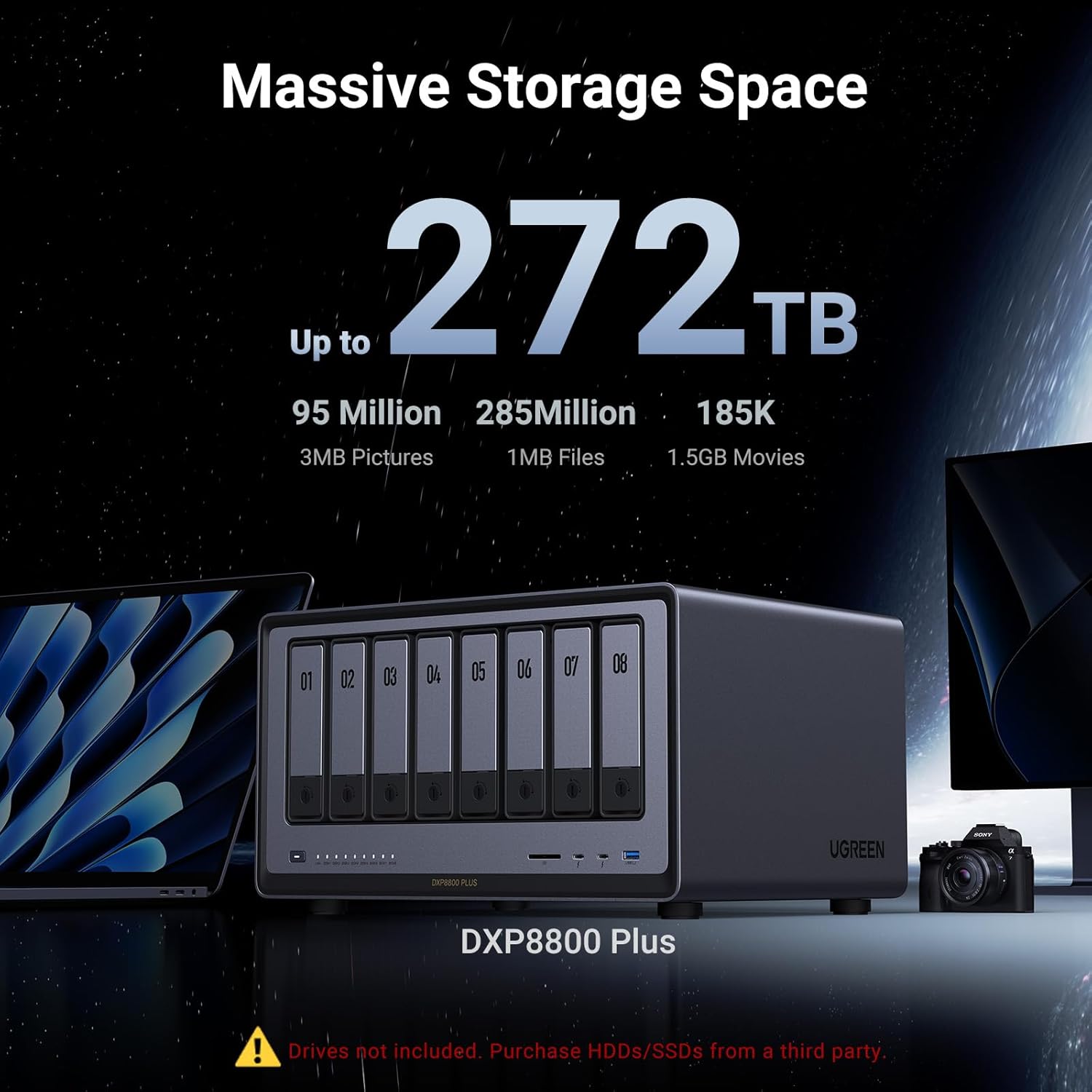
UGREEN
$1,207.99
In stock on Amazon
Check price on AmazonSynology’s DiskStation Manager (DSM) remains the closest thing to an industry standard in prosumer NAS software. PCMag’s Best NAS Devices roundup for 2026 continues to place Synology units at or near the top of usability rankings. StorageReview’s platform-level analysis, published in their 2025 NAS roundup on storagereview.com, consistently identifies DSM’s Active Backup for Business and Hyper Backup as the most polished first-party software stacks available on any consumer or prosumer NAS platform.
For creative professionals, the relevant strengths are:
- Hyper Backup — versioned backups to local, remote, and cloud targets with built-in integrity verification. This is critical. An untested backup is not a backup; Hyper Backup’s scheduled restore-verification task is one of the few first-party tools that makes this habit frictionless.
- Synology Photos — a photo management layer that indexes RAW files intelligently. Not a Lightroom replacement, but genuinely useful for quick review and culling workflows directly on the NAS.
- Cloud Sync — native integration with Backblaze B2, Wasabi, and Amazon S3-compatible endpoints for offsite 3-2-1 completion.
- ECC RAM on the DS923+ — error-correcting memory reduces the risk of silent data corruption, which matters more than most buyers realize for long-duration archiving at scale.
The tradeoff is real and worth naming: Synology is increasingly restrictive about third-party drives. Their newer firmware on several models flags non-Synology-branded drives with compatibility warnings, and the company has been actively promoting its own HAT series HDDs. Tom’s Hardware’s 2025 coverage of Synology’s drive compatibility policies, published on tomshardware.com, notes that some DSM features — including predictive health alerts — are partially gated behind Synology-branded drives. If you’re planning to source HDDs independently (which most practitioners should, for cost reasons), verify the specific model’s compatibility matrix before committing. This friction does not appear in spec sheets and has surprised more than a few buyers post-purchase.
Budget note: Source drives from authorized resellers only. Counterfeit WD and Seagate drives remain a documented problem on major marketplace platforms, and a NAS is exactly the wrong place to discover a fake drive. Seagate and Western Digital each publish authorized reseller lists on their respective manufacturer websites, and cross-referencing before any drive purchase is worth the five minutes.
UGREEN
$1,207.99
In stock on Amazon
Check price on AmazonQNAP TS-464 / TS-873A: The Hardware-First Mid-Tier
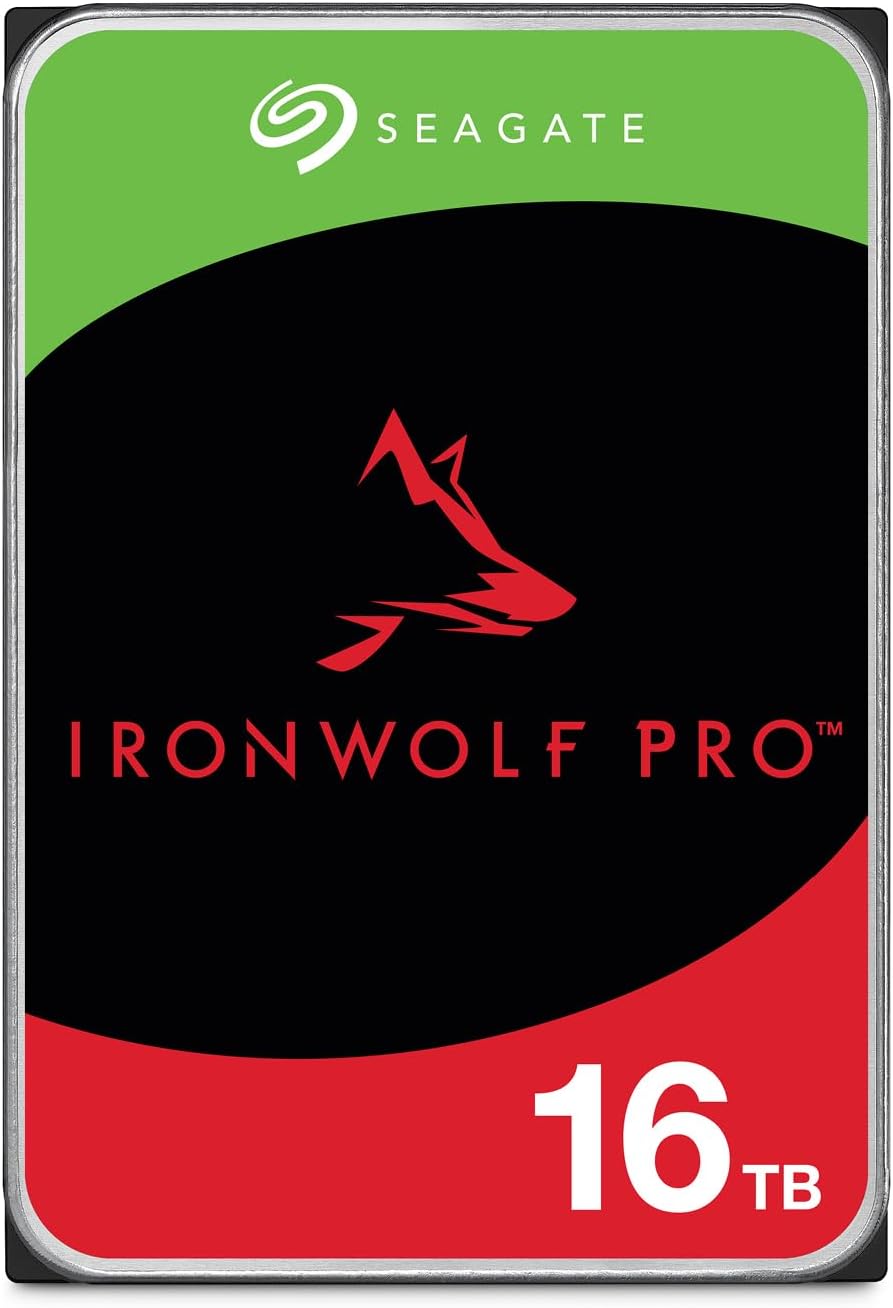
Seagate ST16000NT001
$539.99
In stock on Amazon
Check price on AmazonQNAP’s hardware story in 2026 is legitimately compelling. Their mid-range 4-bay TS-464, as documented in QNAP Systems’ official product overview published in 2025, ships with 8 GB of RAM standard and an Intel Celeron N5095 processor capable of real-time 4K transcoding — directly relevant if your workflow includes video preview or remote access to ProRes files. The higher-end TS-873A steps up to an AMD Ryzen V1500B and supports PCIe expansion, meaning you can add a 10GbE card or NVMe caching tier as your throughput requirements grow.
StorageReview’s 2025 platform roundup on storagereview.com notes that QNAP’s hardware flexibility — PCIe slots, dual M.2 bays, dual LAN on most models — is genuinely differentiated for users who need to scale a system over time. On paper, QNAP beats Synology on hardware value at nearly every tier, and QTS (QNAP’s OS) supports most of the same cloud destinations and has a comparable app catalog.
The complication is security history, and it deserves plain language. QNAP devices have been the target of multiple high-profile ransomware campaigns. BleepingComputer’s sustained coverage of the DeadBolt and Checkmate incidents, documented across multiple reports on bleepingcomputer.com between 2022 and 2024, identifies a consistent pattern: QNAP units left with default settings or with management interfaces exposed to the open internet were disproportionately targeted. This is a solvable problem — disable the default admin account, enable two-factor authentication, never expose QTS’s web interface to the public internet, and keep firmware current — but it requires deliberate configuration discipline that a solo creative professional who isn’t also a systems administrator may not have built into their workflow. That configuration burden is a real cost that does not appear in the purchase price.
One note on egress costs for cloud offsite: Backblaze’s published B2 rate schedule on backblaze.com (2026 pricing) shows $0.01 per GB in egress charges after the free daily allowance. At 20 TB of data, a full restore costs roughly $200 in egress alone — not catastrophic, but worth building into your recovery plan before you’re in an emergency.
Seagate ST16000NT001
$539.99
In stock on Amazon
Check price on AmazonUGREEN DXP4800 Plus: The Value-Forward Budget Pick
UGREEN
$399.99
In stock on Amazon
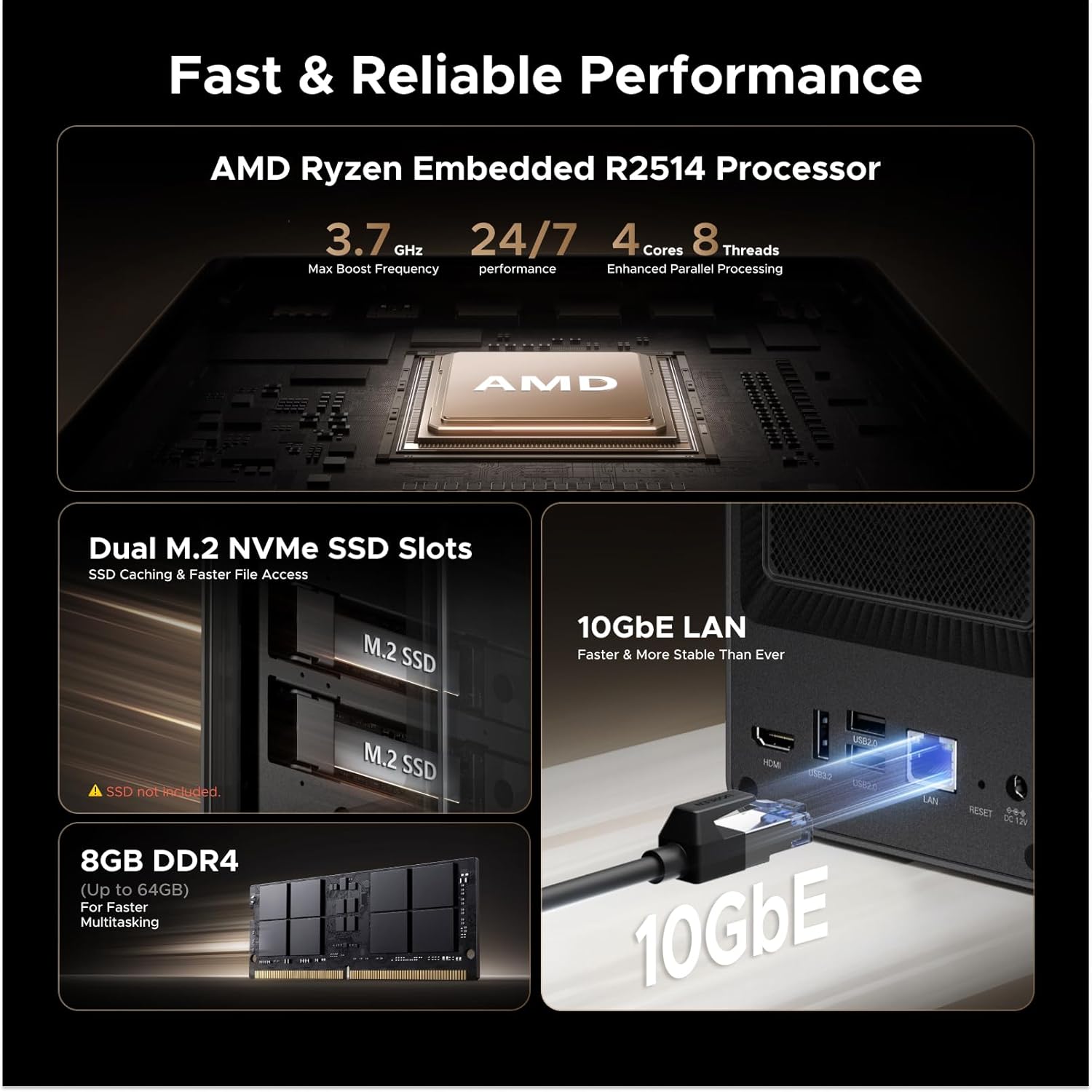
Check price on AmazonUGREEN — best known for USB hubs and charging accessories — entered the NAS market aggressively in 2024 with the DXP series. Tom’s Hardware’s 2025 review of the DXP4800 Plus, published on tomshardware.com, describes a hardware-first value proposition: the unit ships with an Intel N100 processor, 8 GB of DDR5 RAM, dual 2.5GbE ports, and two M.2 NVMe slots for SSD caching or additional storage, all in a chassis that reviewers consistently describe as well-built and notably quiet under load.
The UGOS Pro operating system is where the honest conversation gets more nuanced. Relative to DSM or QTS, UGOS Pro is newer software with a shorter track record and a smaller app ecosystem. Core functionality — RAID management, Samba shares, basic backup scheduling — works reliably in aggregated long-run user reports. But the breadth of third-party integrations and the depth of enterprise-adjacent features such as Active Directory integration and advanced snapshot policies lag behind both Synology and QNAP. UGREEN has been shipping meaningful updates at a consistent cadence, but the platform is still establishing its long-term support lifecycle commitment, and that history simply does not exist yet in the way it does for Synology’s decade-plus DSM record.
PCMag’s 2026 NAS coverage on pcmag.com acknowledges UGREEN as a credible entrant in the value tier while flagging platform maturity as the primary open question for buyers evaluating it against established alternatives.
For a creative professional whose NAS workflow is primarily: (1) receive files from working drives, (2) RAID for local redundancy, (3) sync to cloud for offsite, (4) periodically test restores — UGOS Pro is sufficient for that use case today. If you’re evaluating NAS as part of a small business infrastructure that will eventually include virtual machines, multi-user permissions, or IT integrations, the platform immaturity is a real risk to plan around.
The price-per-terabyte math on protected storage is where UGREEN shines most clearly. At roughly $500–$600 for the DXP4800 Plus diskless versus $800 or more for the DS923+, you’re buying another 4–6 TB of NAS-appropriate HDD storage with the savings — a meaningful difference in a vault context.
UGREEN
$399.99
In stock on Amazon
Check price on AmazonThe Decision Frame: If X, Then Y
Here’s the clean version for practitioners who need to close a decision:
If your priority is software stability, ecosystem depth, and you can absorb a $200–$300 premium: Synology DS923+ is the defensible choice. The platform has the longest track record, the best restore-verification tooling, and the clearest support lifecycle. Verify drive compatibility before purchasing HDDs, and source from authorized resellers only.
If your priority is hardware headroom — you need fast local transcoding, PCIe expandability, or the highest specs per dollar — and you’re willing to invest time in proper security configuration: QNAP TS-464 or TS-873A is the stronger hardware argument at this price tier. Treat the hardening step as mandatory, not optional, and budget a full weekend for initial configuration before loading any critical data.
If your priority is value, you’re comfortable with a newer software platform, and your use case is straightforward vault-and-cloud architecture: UGREEN DXP4800 Plus is a credible choice that leaves meaningful budget for additional drives or a cloud subscription tier. Plan to revisit the platform decision in 18–24 months as UGOS Pro’s update cadence and support commitments become clearer.
In all three cases: your NAS is one leg of a 3-2-1 architecture, not the whole answer. Local RAID protects against drive failure; it does not protect against fire, theft, or ransomware. Pair any of these units with a Backblaze B2 or Wasabi cloud tier, keep egress costs in your recovery plan, and — this cannot be said enough — test a restore before you need one.
Build a calendar reminder to restore a representative file through a full workflow test, not just a spot-check, on a quarterly cadence at minimum. The most common silent failure across all three platforms is a backup job that completes without errors for months and then fails to produce a recoverable file when it actually matters. The hardware decision is reversible. An untested backup is not.