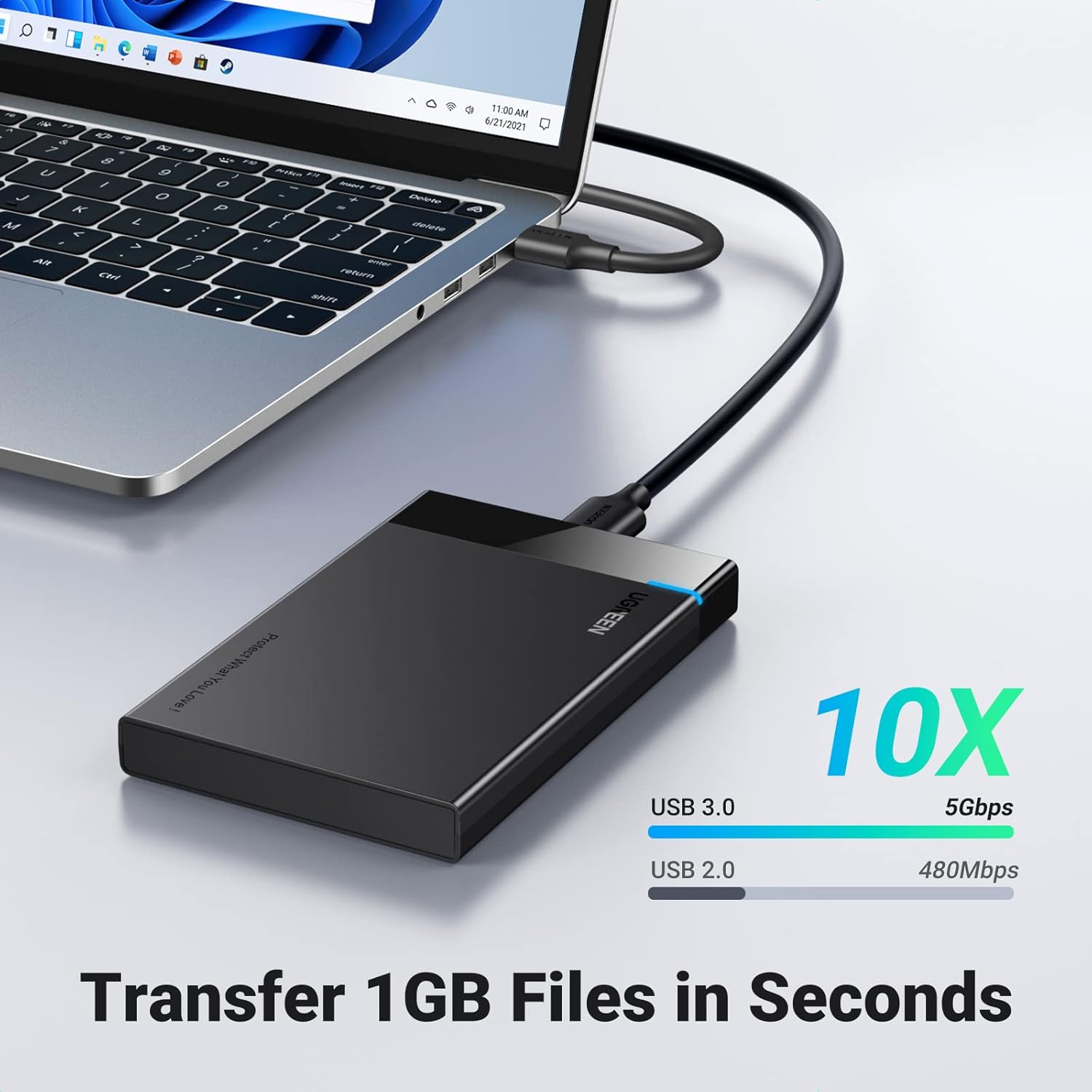
If you have ever bought an external hard drive in a shiny retail box, you already understand roughly half of what a hard drive enclosure is. The enclosure is the box — the metal or plastic shell that holds bare hard drives, connects them to your computer, and turns raw storage hardware into a working backup destination. What most people don’t realize is that you can buy that box separately from the drives inside it, populate it yourself with whatever size disks you want, and end up with dramatically more storage capacity for the same money you would have spent on a pre-packaged unit. This approach — buying a multi-drive enclosure and adding your own disks — is called building a DAS, short for Direct-Attached Storage: storage that plugs directly into your computer (usually via USB or Thunderbolt) rather than connecting over a network. This guide is for the reader who has already gotten past “I need a backup” and is now asking the sharper question: what’s actually the most cost-effective and reliable way to build serious local backup capacity?
| EDITOR'S PICK[OWC ThunderBay 4 0TB Four-Bay T…](https://www.amazon.com/dp/B0942YC7Z3?tag=greenflower20-20) | Mid-tier[SABRENT 2.5 Inch SATA to USB 3.…](https://www.amazon.com/dp/B00OJ3UJ2S?tag=greenflower20-20) | Budget pickORICO 2.5'' External Hard Drive… | |
|---|---|---|---|
| Drive bays | 4 | 1 | 1 |
| Drive size | — | 2.5" | 2.5" |
| Interface | Thunderbolt 40Gb/s | USB 3.0 | USB 3.0 |
| Tool-free | — | ✓ | ✓ |
| UASP support | — | ✓ | ✓ |
| Max capacity | — | — | 6TB |
| Price | $549.99 | $11.99 | $7.20 |
| See on Amazon → | See on Amazon → | See on Amazon → |
Why the DIY Math Almost Always Wins
Let’s anchor this in numbers before touching any specific hardware, because the $/TB (dollars per terabyte) metric is the clearest way to evaluate this decision.
By the numbers (May 2026 retail pricing, U.S. market):
| Approach | Typical Price | Usable Capacity | $/TB |
|---|---|---|---|
| Name-brand pre-built 8TB external | ~$140–$170 | 8 TB | ~$19/TB |
| Bare 8TB NAS/desktop drive (e.g., Seagate IronWolf) | ~$130–$150 | 8 TB | ~$17/TB |
| 4-bay enclosure + 4× 8TB drives (no redundancy) | ~$180 + ~$560 | 32 TB | ~$23/TB (with box amortized) |
| Same enclosure + RAID 1 (mirrored pairs, 2× usable) | ~$180 + ~$560 | 16 TB protected | ~$46/TB — but you get a copy |
The raw per-TB number is not the only variable — you are paying for resilience, hot-swap capability, and the flexibility to upgrade one drive at a time rather than replacing the whole unit. That amortization calculus tips decisively in DIY’s favor once you are managing more than about 8–10 TB of data.
PCMag’s NAS and DAS coverage consistently notes that the per-bay cost of purpose-built enclosures from Terramaster, OWC, and QNAP drops sharply at the 4-bay tier compared to 1- or 2-bay units, because the chassis cost spreads across more drives. TechRadar’s best DAS storage guide echoes this, observing that multi-bay DAS enclosures have become a preferred tool for video editors and photographers who need local throughput without the added complexity of a full NAS operating system.
Choosing the Right Enclosure: What Actually Differentiates the Options
Not all enclosures are created equal, and the spec sheet differences matter more here than in most hardware decisions. Here is what to evaluate:
Interface: USB 3.2 vs. Thunderbolt 3/4
USB 3.2 Gen 2 (10 Gbps) is sufficient for spinning hard drives — a single 7,200 RPM HDD tops out around 260 MB/s sequential, which USB 3.2 Gen 2 handles comfortably. Thunderbolt 3/4 (40 Gbps) starts earning its premium only when you populate the enclosure with SSDs or when you daisy-chain multiple enclosures. If your vault is HDDs-only and cost is a constraint, a USB 3.2 Gen 2 enclosure is the rational choice and will run $80–$180 less than a comparable Thunderbolt unit. If your workflow involves ProRes 4K and you’re regularly pulling files — not just writing backups — Thunderbolt pays for itself.
RAID Hardware vs. Software vs. JBOD
RAID (Redundant Array of Independent Disks) is a way of combining multiple drives so that if one fails, your data survives. The enclosure either handles this in hardware (its own controller chip manages the redundancy, invisible to your operating system) or passes the drives through as JBOD (Just a Bunch of Disks — individual drives your OS sees separately). Some enclosures offer both modes.
Hardware RAID is convenient but has a serious operational trap: if the enclosure’s controller fails, your drives may be readable only by an identical controller. This is a known risk that Tom’s Hardware’s enclosure coverage flags regularly — proprietary RAID implementations can hold your data hostage to a specific hardware revision. Software RAID (using macOS’s Disk Utility RAID, Windows Storage Spaces, or Linux mdadm) avoids this lock-in. For a backup vault specifically, many practitioners favor JBOD + software RAID or simply JBOD + disciplined backup software, precisely to preserve portability.
Fan Cooling and Drive Compatibility Ratings
A 4-bay enclosure running four loaded drives generates meaningful heat. Enclosures without active cooling (a small internal fan) are fine for occasional-use vaults but will shorten drive lifespan under continuous write workloads. Check the manufacturer’s drive compatibility list — especially for larger-capacity drives (16TB+), where some enclosures have documented issues with specific drive firmware revisions. StorageReview’s ongoing enterprise drive coverage notes that helium-filled drives like the WD Ultrastar DC series can have slightly different vibration characteristics than air-filled models, which matters in multi-drive chassis.
Counterfeit and Gray-Market Drive Risk
This deserves a direct callout: Amazon’s third-party marketplace has a documented counterfeit drive problem. Drives sold as 8TB or 16TB units that are actually much smaller drives with manipulated firmware have appeared repeatedly. Buy drives only from authorized resellers: the manufacturer’s direct store, B&H Photo, Adorama, Newegg (fulfilled by Newegg, not third-party sellers), and Micro Center for in-person verification. Check the drive’s serial number against the manufacturer’s warranty lookup tool immediately after unboxing. If the warranty lookup fails or returns an unexpected registration date, return it.
The OWC ThunderBay 4 vs. Mid-Range Alternatives: Decision Framework
For the practitioner audience most likely reading this, the decision often comes down to three tiers:
Tier 1 — The OWC ThunderBay 4 ($500+, Thunderbolt): Reviewers at TechRadar and Tom’s Hardware consistently position this as the benchmark for creative professionals. Published specs include hardware RAID 0/1/5/10 support plus JBOD mode, Thunderbolt 3/4 connectivity, and fanless or fan-cooled options depending on the configuration. OWC sells through its own direct channel and through B&H, which addresses the counterfeit risk cleanly. The case for it: if you are a video editor or photographer with a Mac-centric workflow and you need maximum throughput alongside backup reliability, the premium is defensible. The case against: you are paying substantially for Thunderbolt, and if your use case is write-once backup rather than active-access storage, that throughput advantage mostly sits idle.
Tier 2 — Terramaster D4-320 / D4-330 ($120–$200, USB 3.2): Terramaster’s DAS enclosures show up consistently in PCMag and TechRadar value-tier comparisons. Published specs put the D4-330 at USB 3.2 Gen 2×2 (20 Gbps), hardware RAID 0/1/5/10/JBOD. Owners in aggregated reviews frequently note straightforward setup and solid drive compatibility. The trade-off is build quality — the chassis is plastic rather than aluminum — and customer support that reviewers describe as inconsistent for edge-case issues. For a backup vault that isn’t being touched daily, this is the workhorse pick if budget is the binding constraint.
Tier 3 — QNAP TR-004 ($150–$180, USB-C / USB 3.1): A hardware RAID DAS that can also function as a NAS expansion unit. PCMag’s coverage highlights its QNAP-native RAID management and broad drive compatibility. The positioning is for users who may want to eventually bridge from DAS to NAS architecture — the TR-004 connects to QNAP NAS units directly. If your roadmap includes a network-attached expansion in the next 12–18 months, this hedges that transition.
The Restore Test Problem — And Why It Hits DAS Builds Harder
Every guide on this site hammers the same point: an untested backup is not a backup. With a DAS vault, there is a specific failure mode worth naming explicitly. Hardware RAID enclosures initialize a RAID volume during setup. If you later need to restore and your enclosure has failed, you will need either an identical enclosure or a compatible RAID controller to read those drives. Practitioners who have not tested this scenario before they need it discover the problem at the worst possible moment.
The mitigation is straightforward but requires discipline:
- Monthly restore drill: Pull a sample file — not the most recent copy, a random older version — and verify it opens cleanly.
- Document your RAID configuration: Write down the RAID level, stripe size, and drive order (physical bay positions) immediately after setup. If you ever need to rebuild the array in a replacement enclosure, this information is essential.
- If using JBOD + backup software: Verify that your backup software’s restore function can read the archive format without the original source machine. Acronis and Veeam both support this; some simpler solutions do not.
Backblaze’s annual Drive Stats reports are worth reading not just for drive reliability data but for the operational insight they surface about how real-world storage fails. The 2025 report reinforces a pattern consistent across multiple years: failure rates increase meaningfully in years 3–5 for consumer-grade drives run under elevated ambient heat — exactly the condition an under-cooled enclosure creates.
If X, Then Y — The Decision Rules
If your primary goal is maximum capacity at minimum cost and throughput is not a constraint: Choose a USB 3.2 Gen 2 4-bay enclosure (Terramaster or similar), populate with 3.5” NAS-rated drives (Seagate IronWolf or WD Red Plus), run JBOD, and manage backups with software that creates independent per-drive copies. Total spend for 32TB raw: approximately $700–$800. Document the drive layout from day one.
If you are on a Mac-centric creative workflow and need active-access performance alongside backup: The OWC ThunderBay 4 with Thunderbolt is the right chassis. Budget $500+ for the enclosure and $130–$200 per drive for the capacity tier you need. Accept the higher per-TB cost as payment for throughput and OWC’s build quality.
If you want a future path to NAS without buying twice: The QNAP TR-004 at the DAS tier lets you attach directly to a QNAP NAS later. This is the right answer if you have a NAS purchase on your 12-month roadmap.
Regardless of which enclosure you choose: Pair your local DAS vault with an offsite cloud tier — Backblaze B2 or Wasabi are the leading options at the prosumer and small-business price point. And before you trust that pairing with data that is genuinely irreplaceable, run a full restore drill. Not a spot check. A full restore. That is the only test that actually counts.