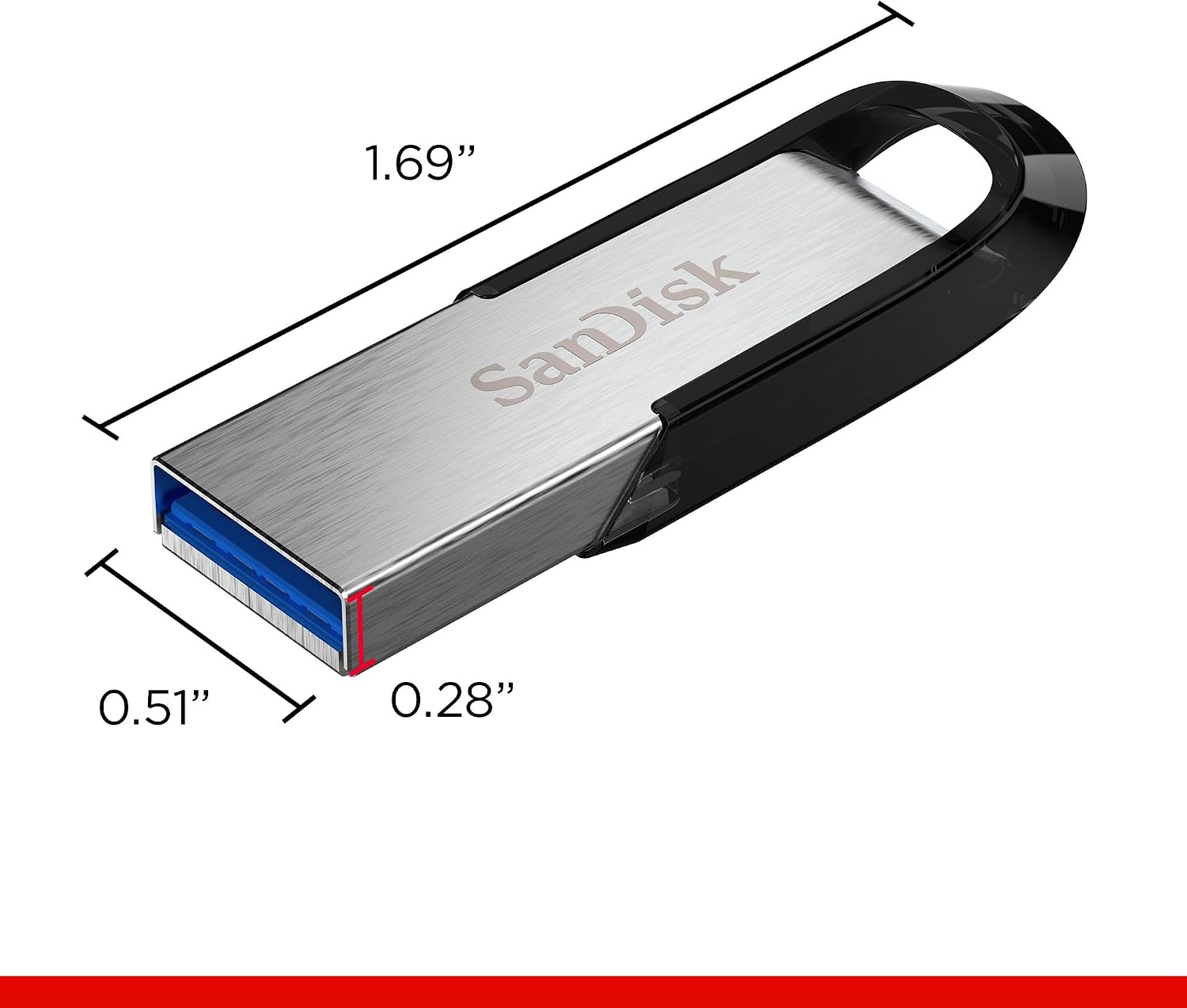
A USB flash drive — the small rectangular stick that plugs into your computer’s USB port and holds files — is probably the most misunderstood backup tool in circulation. People carry them on keychains, hand them across conference tables, and sometimes forget them in desk drawers for years. The question that doesn’t get asked enough: how long does the data on one actually survive? And the harder follow-up: is a flash drive a legitimate backup, or just a convenient transfer device? If you’ve got a real data-protection decision pending — picking a portable media tier for a client, advising a creative professional on workflow, or building out your own 3-2-1 architecture (three copies of data, on two different media types, with one copy off-site) — this article gives you the honest, research-grounded picture, including the survivorship bias nobody mentions when someone brags about their decade-old drive still working.
| EDITOR'S PICK[SANDISK 512GB Ultra USB 3.0 Fla…](https://www.amazon.com/dp/B09X275G5M?tag=greenflower20-20) | Mid-tier[PNY 256GB Attaché X USB 3.2 Gen…](https://www.amazon.com/dp/B0DSR9D4PL?tag=greenflower20-20) | Budget pick[SANDISK 128GB Ultra Flair USB 3…](https://www.amazon.com/dp/B0H2ZTKGZN?tag=greenflower20-20) | |
|---|---|---|---|
| Capacity | 512GB | 256GB | 128GB |
| Interface | USB 3.0 | USB 3.2 Gen 1 | USB 3.0 |
| Read speed | — | 130MB/s | — |
| Series | Ultra | Attaché X | Ultra Flair |
| Model no. | SDCZ48-512G-G46 | — | SDCZ73-128G-G46 |
| Price | $62.99 | $29.99 | $19.99 |
| See on Amazon → | See on Amazon → | See on Amazon → |
The Honest Longevity Picture: What the Long-Term Evidence Actually Shows
The most striking data point circulating in long-form owner reviews is a SanDisk owner who reports a drive that is over ten years old with all files still accessible. That’s a genuine anchor — and it deserves to be taken seriously. But it also deserves the asterisk it rarely gets: this is classic survivorship bias. The drives that failed at year two or year four aren’t posting reviews. The ones still alive at year ten are.
That said, the pattern across aggregated long-term reviews is consistent enough to build a real decision frame around. As Tom’s Hardware’s USB flash drive coverage repeatedly notes, NAND flash memory — the storage technology inside every flash drive — has a finite number of write cycles and a separate (often underappreciated) data retention clock that ticks even when the drive is sitting in a drawer doing nothing.
Here’s how the physics actually work, per Ars Technica’s explainer on flash memory degradation: NAND flash stores data as electrical charges trapped in insulating cells. Over time — accelerated by heat, humidity, and simple physics — those charges leak. The JEDEC standard (the industry body that sets storage specifications) rates consumer NAND for approximately 10 years of data retention at room temperature when the drive is powered off and stored properly. That number drops significantly in high-heat environments. A flash drive stored in a hot car glove compartment or a humid garage is losing retention headroom faster than the calendar suggests.
The practical takeaway for practitioners: a flash drive’s ten-year lifespan is real but conditional. Cool, dry, dark storage — not a laptop bag that sees direct sunlight — is what gets you there. Multiple SanDisk reviewers across platforms cite file integrity and non-corruption as the primary reason they keep repurchasing the brand, which tells you something useful: the anxiety around flash data loss is real and purchase-driving, not hypothetical.
Flash Drives vs. Solid-State Dual Drives: The Thermal Story
One of the more practically useful contrasts in recent owner reporting is the thermal difference between traditional NAND flash drives and newer solid-state dual-interface drives.
Reviewers of the Lexar D40E consistently note the drive gets “fairly hot” under sustained load — large file transfers, prolonged reads — but explicitly normalize it, treating heat as expected behavior. That’s not wrong, exactly. Flash controllers generate heat during sustained operation, and a warm drive isn’t a failing drive.
The contrast with the Lexar D50E is instructive. The D50E’s solid-state architecture — closer to a portable SSD in its internal design than a traditional flash stick — earns repeated reviewer praise for staying only “warm, not hot” even during heavy, sustained data transfers. Per TechRadar’s coverage of the dual-interface drive category, the thermal improvement isn’t just comfort: sustained high heat is one of the accelerants of NAND cell degradation over time. A drive that runs cooler under the same workload is, all else being equal, better positioned for long-term retention.
The decision frame here is simple: if you’re using a flash drive for occasional file transfer, heat is a non-issue. If your workflow involves sustained, high-volume transfers — say, offloading large media libraries repeatedly — the thermal profile of what you’re buying matters more than it seems on the spec sheet.
Speaking of high-volume transfers: a Samsung USB-C flash drive reviewer documents a workflow of 250–300GB of phone video per weekend, with MTP transfer (the protocol most Android phones use to move files, often criticized for its speed limitations) being “pathetically slow.” The USB-C flash drive is the workflow fix — direct transfer, faster protocol, manageable throughput. That’s a legitimate use case. But it’s worth being clear-eyed: this is a transfer device, not a backup device. The moment those video files exist only on a flash drive, they’re unprotected.
By the Numbers: Flash Drive Realities in 2026
| Factor | What the Evidence Shows |
|---|---|
| Rated data retention (JEDEC, powered off) | ~10 years at room temperature |
| USB 2.0 real-world throughput (large files) | 8–15 MB/s |
| USB 3.0/3.1 real-world throughput (large files) | 80–200+ MB/s |
| Time to transfer 64GB via USB 2.0 | ~60–90 minutes |
| Time to transfer 64GB via USB 3.0 | ~6–12 minutes |
The USB 2.0 vs. 3.0 gap isn’t a spec-sheet abstraction — it’s the difference between a workflow tool and a frustration device. For the 250–300GB weekend video use case above, USB 2.0 makes that workflow practically untenable. USB 3.0 makes it functional.
The Counterfeit Problem: Why Rated Capacity Isn’t Always Real Capacity
The PNY Attaché X reviewer who specifically noted the drive “tested true to its rated size” was flagging something real: this is not guaranteed. The counterfeit and underperforming flash drive market is not a fringe problem. It’s endemic on third-party marketplace listings, and PCMag’s flash drive coverage consistently warns buyers about drives that report a false capacity to the operating system — a 128GB drive that’s actually 16GB of real flash with spoofed firmware reporting larger.
The tools to verify are free. H2testw (Windows) and F3 (macOS/Linux) write test data across the entire reported capacity and verify what comes back — a full-capacity test takes hours but definitively reveals whether a drive is what it claims. If you’re advising clients or building any kind of media workflow, this is not optional due diligence.
Authorized resellers matter here. SanDisk, Samsung, Lexar, and PNY all maintain lists of authorized retail channels. Purchasing from off-brand third-party sellers on major marketplaces — even from listings that appear legitimate — carries real counterfeit risk. The physical drive in the package may not be the drive the listing describes. If the price is notably below what authorized retail shows, treat that as a red flag, not a deal.
Cap-Free Design: The Small Feature With Real Consequences
Multiple reviewers across SanDisk, Lexar, and Samsung flash drives flag the sliding or swivel connector design — where the USB connector retracts into the body rather than requiring a removable cap — as a meaningful practical feature. This isn’t just ergonomics. Lost caps mean exposed connectors, exposed connectors accumulate lint and debris, and debris in the USB port causes intermittent connections that can corrupt files mid-transfer. Over a 10-year ownership arc, a cap-free design quietly reduces one of the more common failure modes.
The Backup Architecture Reality Check
Here’s the plain-language version of what the evidence adds up to: a flash drive is not a backup. It is a transfer medium, a convenience layer, and — with proper storage conditions — a reasonable short-to-medium-term archive for files that also exist somewhere else. The moment it’s the only copy of anything irreplaceable, the risk profile changes entirely.
The 3-2-1 architecture applies here exactly as it applies everywhere: three copies, two media types, one off-site. A flash drive can be one of the two local copies. It cannot be the only copy. Untested backups are the most common silent failure in personal data protection — and a flash drive that hasn’t been plugged in, verified readable, and file-spot-checked in 18 months is an untested backup by definition.
The if/then decision rule for practitioners:
- If your client is using a flash drive as a primary archive for irreplaceable files, then the first intervention is establishing a second copy on a different media type (external HDD, NAS, or cloud) before worrying about which flash drive brand is most reliable.
- If the use case is high-volume, repeated transfer (large video workflows), then thermal profile and USB 3.0 or higher throughput are the dominant spec factors — consider whether a portable SSD actually serves the workflow better.
- If the flash drive was purchased from a third-party marketplace listing at a suspicious discount, then run H2testw or F3 before trusting it with anything, and replace it with a unit from an authorized channel.
- If a drive is being used for long-term cold storage (plugged in rarely, stored in a drawer), then cool, dry storage conditions and a 12-month verification cycle — plug it in, confirm files open, spot-check a few — are the minimum viable maintenance posture.
Frequently Asked Questions
How long will data stored on a USB flash drive remain readable without being plugged in?
The JEDEC standard rates consumer NAND flash for approximately 10 years of data retention at room temperature in unpowered storage. Heat and humidity accelerate charge leakage and compress that window. Backblaze’s blog on flash storage longevity notes that real-world retention in poor storage conditions can fall significantly below the rated spec. Plan for verification at least once a year regardless of the rated number.
Is it safe to store irreplaceable files on a flash drive as my only backup?
No. Flash drives fail without warning and have no redundancy. As a single point of failure for irreplaceable files, the risk is unacceptable regardless of brand. A flash drive can be a legitimate component of a 3-2-1 backup strategy — one of multiple copies on different media — but it cannot be the only copy.
Why does my flash drive get hot during large file transfers and should I be worried?
Heat during sustained transfer is normal for NAND flash controllers. It becomes a concern if the drive is getting uncomfortably hot to the touch or if the host system begins throttling the connection. Drives with better thermal design — the Lexar D50E’s architecture is a frequently cited example in owner reviews — run measurably cooler under the same load. For occasional transfers, don’t worry. For sustained, repeated high-volume workflows, thermal profile is worth factoring into your buying decision.
What is the real-world transfer speed difference between USB 2.0 and USB 3.0 flash drives for large video files?
USB 2.0 theoretical maximum is 480 Mb/s, but real-world large-file throughput typically lands at 8–15 MB/s. USB 3.0 (now officially called USB 3.2 Gen 1) real-world throughput for large sequential files typically runs 80–200+ MB/s depending on the drive’s flash controller quality. Per Tom’s Hardware’s USB flash drive buyer’s guide, that translates to a 64GB transfer taking 60–90 minutes on USB 2.0 versus 6–12 minutes on USB 3.0 — a difference that makes high-volume media workflows either viable or untenable.
How can I tell if a flash drive I bought is counterfeit or underperforming its rated capacity?
Use H2testw (free, Windows) or F3 (free, macOS/Linux). Both tools write test data across the drive’s full reported capacity and verify what comes back — definitively revealing whether the reported size matches the real storage available. Purchase from authorized resellers and treat prices significantly below authorized retail as a counterfeit warning sign, not a bargain.