When you pull a new external hard drive out of its box — a WD My Book, a WD My Passport, a Seagate Backup Plus — there’s almost always software pre-loaded on the drive itself, or bundled on a separate disc. That software is designed to automate your backups: schedule them, protect them with a password, maybe even guard against ransomware (malicious software that encrypts your files and demands payment to unlock them). The pitch sounds compelling. The reality, according to years of aggregated buyer reviews and editorial analysis at publications including PCMag and Tom’s Guide, is that a significant portion of buyers either ignore this software entirely, reformat the drive to erase it, or swap it out for something third-party within the first week. So who should actually use it — and what are you giving up if you don’t?
If you already have a backup workflow you trust, this article will sharpen your decision about whether the bundled toolchain is a genuine add-on or just packaging. If you’re mid-purchase and deciding between drives, the features below are real tiebreakers — some of them materially so.
| EDITOR'S PICKWD 16TB My Book Duo Desktop RAI… | Mid-tier[Seagate STEL8000100 Backup Plus…](https://www.amazon.com/dp/B07VS8QCXC?tag=greenflower20-20) | Budget pickORICO 2.5'' External Hard Drive… | |
|---|---|---|---|
| Capacity | 16TB | 8TB | Max 6TB |
| Drive Type | Dual Drive | — | Enclosure |
| Interface | USB 3.1 | — | USB 3.0 |
| RAID Support | ✓ | — | — |
| Password Protection | ✓ | — | — |
| Included Software | ✓ | — | — |
| Price | $819.99 | $369.99 | $7.20 |
| See on Amazon → | See on Amazon → | See on Amazon → |
The Reformatting Reality: Why Most Buyers Skip the Bundled Software
The pattern is consistent enough to count as a signal. Across aggregated WD My Book and WD My Passport buyer reviews, one of the most commonly cited first steps is reformatting the drive — and in doing so, wiping the pre-loaded partition that contains WD’s backup utilities. One representative My Book reviewer states plainly, per aggregated review sources: “I needed to reformat the drive for best compatibility with Windows, and I lost the included backup software. That’s okay with me because I use Acronis backup.”
This isn’t a niche edge case. It reflects how experienced buyers prioritize compatibility and their existing workflow over bundled convenience. The reformatting instinct is rational:
- WD drives ship formatted as exFAT or NTFS by default, neither of which is optimal for Time Machine (Apple’s built-in backup utility) without reformatting to APFS or HFS+.
- Seagate Backup Plus drives ship NTFS by default — readable on Windows, read-only on Mac unless you install additional drivers or reformat.
- Reformatting for the correct file system erases the bundled software partition. For buyers who already use Acronis Cyber Protect, Veeam Agent for Windows, or Backblaze Personal Backup, this is a clean slate they welcome.
The honest framing: bundled backup software is designed for buyers who have nothing else — no workflow, no third-party tool, no IT policy. If you’re already running Acronis or Veeam, there’s no meaningful reason to layer WD’s software on top.
What’s Actually Worth Keeping: The Features That Earn Their Place
Dismissing everything bundled would be too fast. Three specific features show up repeatedly in buyer feedback as genuinely useful — not marketing language, but functional value.
WD’s Ransomware Defense and Password Protection
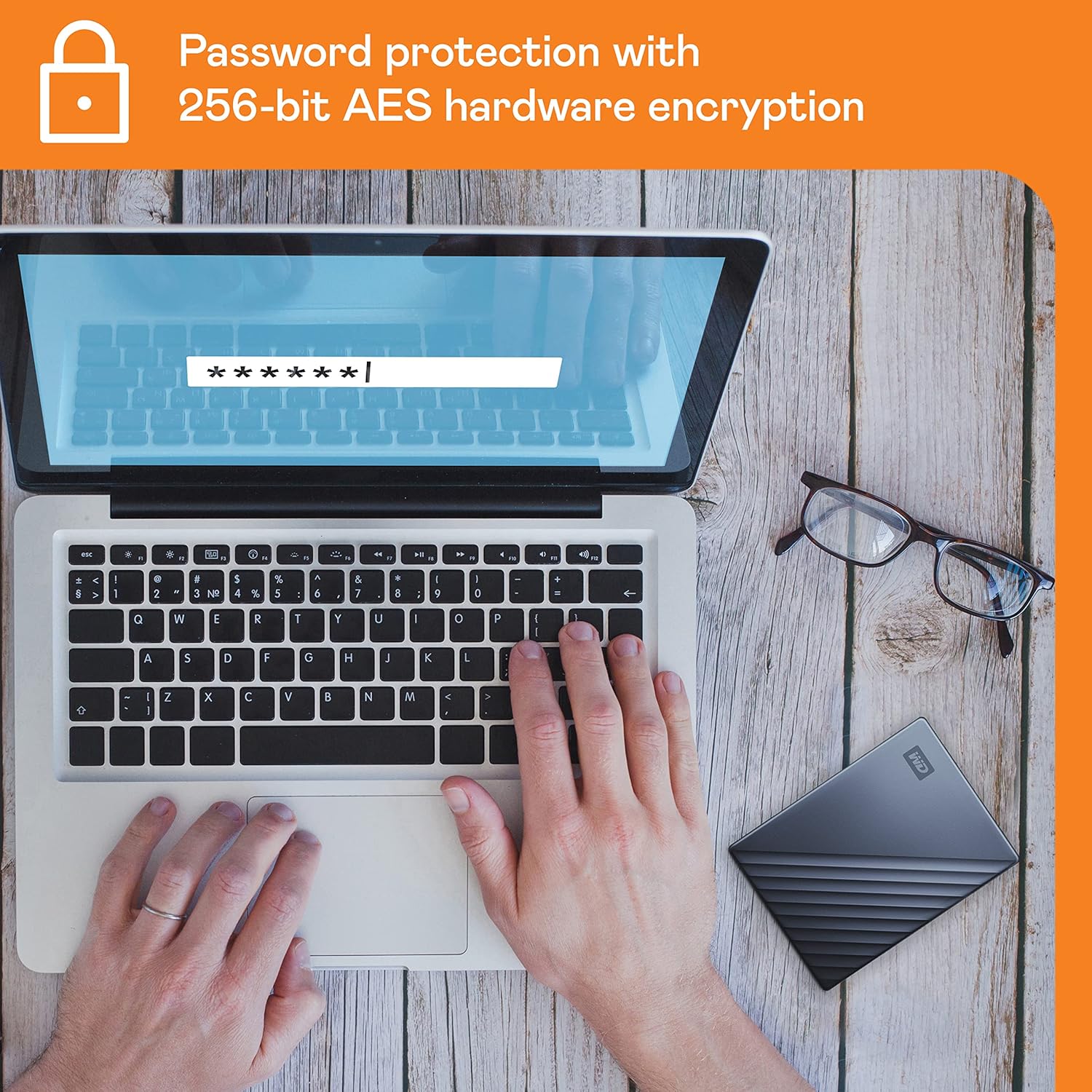
WD’s hardware-based password protection on the My Passport line uses 256-bit AES hardware encryption — meaning the encryption is handled by a dedicated chip on the drive itself, not your computer’s processor. Per published spec comparisons and owner reports, this has two practical advantages:
- No transfer speed penalty. Because encryption happens at the hardware level rather than in software, transfer throughput is not meaningfully affected. Owners consistently report that encrypted and unencrypted transfer speeds are functionally identical for their workflows.
- The drive is a brick without the password. If the drive is lost or stolen, data is inaccessible. This is table-stakes for anyone carrying client data in a portable.
The ransomware defense bundled in WD’s software (marketed as “WD Backup” with ransomware file-change detection) works by monitoring the backup destination folder for abnormal file-modification patterns — the signature of ransomware encrypting files at scale. Bleeping Computer’s coverage of ransomware defense tooling notes that file-change monitoring at the destination is a legitimate (if not foolproof) detection layer, and that hardware-encrypted drives survive ransomware events because the encryption is independent of the OS. The nuance: WD’s software-layer ransomware detection is a complement to your AV setup, not a replacement. If your environment already runs CrowdStrike, Malwarebytes, or Windows Defender with ransomware protection enabled, the WD software layer adds marginal value. If it doesn’t, the WD layer is better than nothing.
Seagate’s 1-Year Rescue Data Recovery Service
This is the clearest tiebreaker feature on the Seagate side. Seagate’s Rescue service covers professional data recovery if the drive fails mechanically within the first year — the kind of recovery that otherwise runs $300–$1,500 at a lab like DriveSavers or Ontrack. At least one buyer in aggregated Backup Plus review threads specifically cited this as the reason they chose Seagate over a comparable WD drive at the same price point.
What the Rescue service actually covers, per Seagate’s published terms: physical drive failure, logical corruption, accidental deletion, and some firmware failures — with no data guarantee (recovery rates depend on damage severity), and a cap on the number of recovery attempts. It does not cover drives that have been opened, physically abused, or submerged. TechRadar’s review of the Seagate Backup Plus Hub noted the Rescue service as a genuine differentiator, particularly for buyers who don’t yet have a tested 3-2-1 backup architecture in place.
The practitioner read: If you already run a disciplined 3-2-1 setup — local copy, second local on a different device, offsite cloud — the Rescue service is redundant insurance. If this drive is your primary backup (a single-point-of-failure setup, which is common among buyers who are still building their workflow), Rescue is meaningful risk coverage.
Seagate Backup Plus Hub: The USB Ports Are Real
One feature that consistently earns praise in Seagate Backup Plus Hub reviews is the integrated USB hub — two front-facing USB-A ports that expand your desk’s connectivity without a separate hub. TechRadar’s Backup Plus Hub coverage called it a “workflow feature that goes beyond plain backup” and reviewers agree. For creative professionals whose workstations run short on USB ports, this is a tangible daily-use benefit that compounds over the drive’s lifespan.
By the Numbers
| Feature | WD My Book / Passport | Seagate Backup Plus Hub |
|---|---|---|
| Hardware encryption | AES-256 (chip-level) | Not hardware-encrypted |
| Bundled recovery service | None | 1-Year Rescue (pro lab) |
| Ransomware detection | Software layer (bundled app) | Not bundled |
| USB hub ports | None | 2× USB-A front ports |
| macOS Time Machine compatible | Yes, after reformat to HFS+/APFS | Yes, after reformat |
Replacing Bundled Software: When Third-Party Earns Its Keep
The WD My Book buyer who reformatted and switched to Acronis had an opinion worth examining. Acronis Cyber Protect Home Office (the consumer tier of Acronis’s product line) adds capabilities that no bundled drive software matches:
- Bare-metal restore: Back up the entire OS disk image, restore it to new hardware if the original machine dies.
- Incremental image backups: Only changes since the last backup are written, which reduces backup windows significantly for large drives.
- Verified restores with screenshot proof: Acronis can spin up a virtual machine from the backup image and take a screenshot to confirm bootability — directly addressing the untested backup problem.
- Cloud replication: Images can simultaneously target a local drive and Acronis Cloud (or Backblaze B2 via their integration), creating a 3-2-1 architecture from a single workflow.
Per Ars Technica’s coverage of backup best practices, the single most common backup failure mode isn’t storage hardware — it’s backups that were never tested and fail silently. Bundled software typically lacks restore verification tooling. Third-party solutions at the Acronis or Veeam Agent tier include it as a core feature.
For freelancers and prosumer home-office users: if your data is irreplaceable (client deliverables, RAW photo archives, project files), the math favors a $50–$70/year Acronis license over relying on WD’s bundled software. The bundled software is free, but an untested backup has a hidden cost: the full value of the data it fails to recover.
Frequently Asked Questions
Is the WD backup software good enough, or should I use something else?
For a simple, scheduled-file backup with no complexity, WD’s software works. For anyone managing more than a single machine, needing bare-metal restore capability, or running a business workflow — replace it. The reformatting pattern among experienced buyers is instructive.
Does the ransomware defense on WD My Passport actually work and how does it protect my files?
The hardware encryption protects data at rest (on the drive itself) against unauthorized access. The software-layer ransomware detection monitors backup destinations for abnormal file-change patterns. It’s a legitimate layer, not theater — but it’s not a substitute for OS-level protection. Per Bleeping Computer’s analysis of ransomware defense tooling, hardware-encrypted destinations are inherently more resilient because the encryption key is tied to the drive hardware, not software that ransomware can compromise.
What happens to the bundled software if I reformat the drive for Mac?
It’s gone. Reformatting erases the hidden partition that holds WD’s or Seagate’s software. For Mac users, this is typically a necessary step anyway — Time Machine requires HFS+ or APFS formatting, and both WD and Seagate drives ship as NTFS. The software loss is the expected tradeoff, and most Mac buyers report not missing it.
Is the Seagate 1-Year Rescue Service worth anything — what does it actually cover?
Yes, meaningfully so — especially if this drive is your only backup. It covers professional data recovery lab services for mechanical failure, logical corruption, and accidental deletion within 12 months of purchase. It doesn’t guarantee recovery (no service legitimately can), and it doesn’t cover physical abuse or tampering. If you already have a redundant backup architecture, it’s insurance you probably won’t need. If this drive is a single point of failure, it’s worth factoring into your buying decision.
Can I use a WD My Passport or Seagate Backup Plus with macOS Time Machine without installing any extra software?
Yes — after reformatting the drive to HFS+ (Mac OS Extended) or APFS using Disk Utility (built into macOS), Time Machine will recognize it automatically. No third-party drivers or WD/Seagate software are needed. Time Machine is native to macOS and self-contained. The reformat step takes under five minutes.
What does hardware encryption on WD drives mean — does it slow down transfers?
Hardware encryption means a dedicated chip on the drive handles all encryption and decryption operations — your computer’s processor is not involved. Per WD’s published specs and consistent owner reports, there is no measurable throughput penalty compared to an unencrypted drive. This is the key distinction from software encryption tools like BitLocker or VeraCrypt, which do consume CPU cycles and can affect transfer speeds on older hardware.
The Decision Rule
Here’s the if/then framework:
- If you have no existing backup software and just want something that works today: Use the bundled software. Enable the password protection. Enable the ransomware detection. Treat it as a starting point, not a permanent stack.
- If you’re reformatting the drive anyway (for Time Machine, for file system compatibility, for a clean slate): The bundled software goes with it. Budget $50–$70/year for Acronis or use the free tier of a solution that includes restore verification.
- If the drive is your only backup: The Seagate Rescue service is a meaningful differentiator worth paying for. But also: fix the single-point-of-failure problem. Add a cloud tier. Backblaze Personal Backup runs under $10/month and operates independently of your local drive.
- If you’re already running Acronis, Veeam Agent, or a managed backup stack: The bundled software is irrelevant. Reformat, build your workflow, move on. The hardware is the asset; the software was never the reason to buy.
The cardinal rule applies regardless of which path you choose: test your restore. A backup that has never been restored is a hypothesis, not a safety net. Schedule a restore drill — even a partial one — within the first 30 days of any new backup setup. That habit will save you more than any bundled feature ever will.